DuckDB on Postgres Data for In-Process Analytics
Analyze Postgres bottlenecks by pairing it with DuckDB's columnar engine for fast analytics.
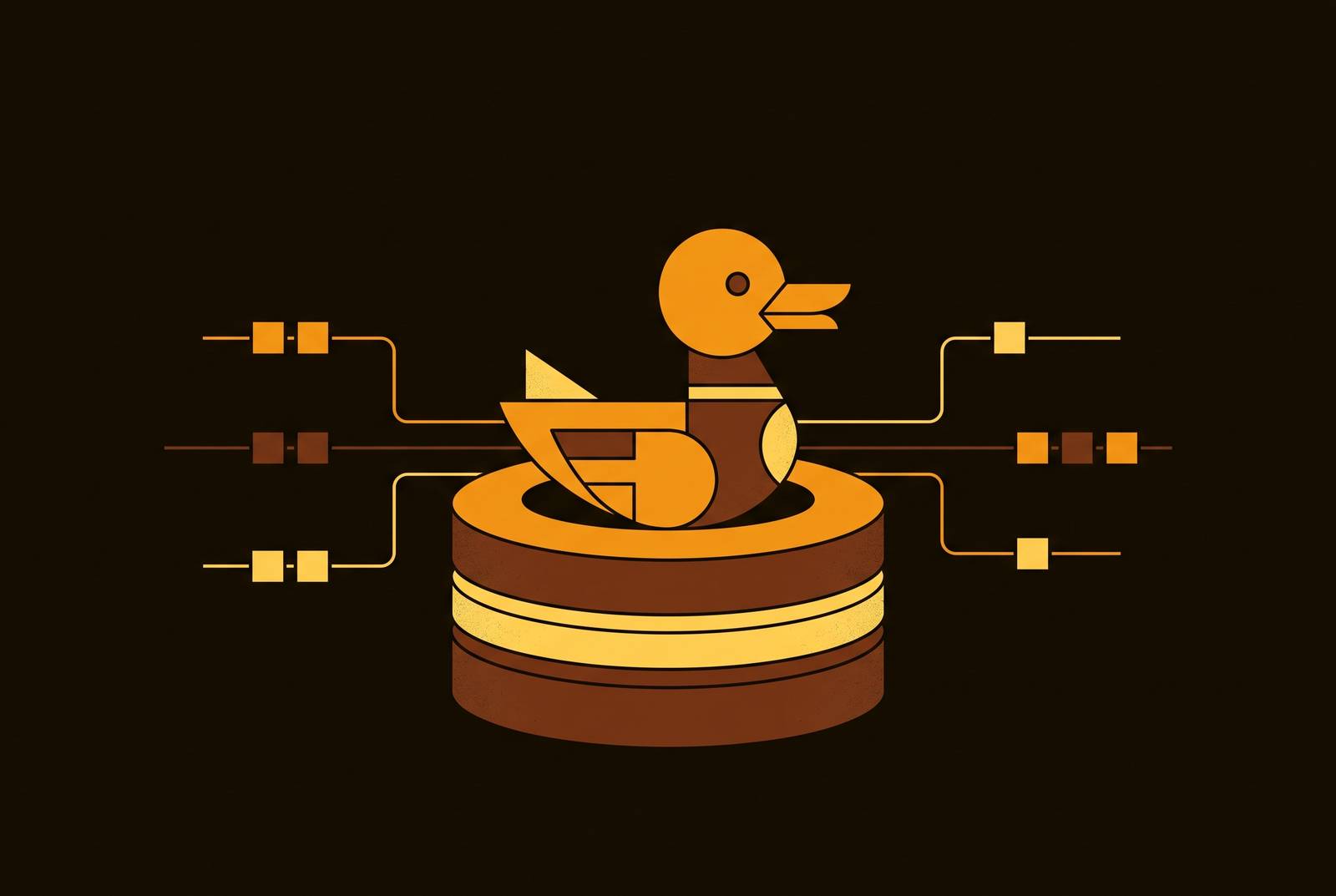
Supabase teams can add analytics without standing up a separate data warehouse by pairing Postgres with DuckDB: export the tables that matter to Parquet on a schedule, or run DuckDB's columnar engine inside Postgres itself through the pg_duckdb extension. Postgres remains the system of record for transactional writes; DuckDB handles the column-scanning, aggregation-heavy queries that Postgres was never built to run fast. The rest of this piece works through why that split exists, how to implement it in three concrete patterns, and which one fits a given team's freshness and governance requirements.
Why Postgres hits a performance ceiling on analytical queries
Postgres is the correct choice for the job it was built to do. For Supabase teams running a transactional application, a storefront, a SaaS product, a mobile backend, Postgres is the right place to keep that data: it handles concurrent writes safely, enforces foreign keys, and guarantees that a read never sees a half-finished transaction. None of that changes when a team starts asking Postgres to also power a dashboard.
The trouble starts with how Postgres stores rows on disk. That layout is ideal when an application needs to fetch one complete customer record or insert one complete order, because the whole row comes back in a single read. It becomes a liability the moment a query only needs four columns out of twenty, because Postgres still has to read and unpack every column in every row to get at the four it needs. Postgres also processes rows one at a time, in what's commonly called a "Volcano" model, pulling a single row through the full chain of operators before moving to the next. A query summing revenue across ten million rows walks all ten million individually, carrying all twenty columns of overhead along the way even though only one or two columns matter to the result.
Postgres offers real tools to soften this. None of them touch the root cause. The data is still stored row by row, and an engine built around reading whole rows will still read whole rows no matter how cleverly it's indexed around that constraint.
How DuckDB's columnar, in-process engine closes that gap
DuckDB addresses the same problem from the opposite direction, and it does so with two specific architectural choices that make it fast on exactly the workloads where Postgres slows down. The first is columnar storage: data sits on disk organized by column rather than by row, so a query touching four columns out of twenty only reads those four. The I/O savings scale directly with how many columns a query skips. Analytical queries, the kind that aggregate, filter, and group across a handful of fields in a huge table, see the biggest gains.
The second is vectorized execution. Rather than pulling one row at a time through the query plan, DuckDB processes data in batches sized to fit inside the CPU's L1 cache. Where Postgres's row-at-a-time model pays a fixed per-row overhead on every single record, DuckDB amortizes that overhead across a whole batch, and the CPU does far more useful work per cycle.
DuckDB adds two more properties that matter for how it gets deployed. It runs in-process: it's imported as a library directly into a Python or Node.js application, with no separate server to run, no network hop to a database host, and no connection pool to manage. And it reads files natively: Parquet, CSV, JSON, and remote objects sitting in S3 can all be queried directly with a statement as simple as SELECT * FROM 'data.parquet', with no import step first.
None of this makes DuckDB a replacement for Postgres. It's a single-writer engine with no multi-version concurrency control, so it has no mechanism for safely handling simultaneous writes from multiple users, no foreign-key enforcement, and no support for the kind of multi-user OLTP traffic a production application generates every second. Concurrent transactional writes stay firmly in Postgres's domain. The two engines are specialists: Postgres guarantees correctness and concurrency on the write path, DuckDB delivers speed on the read-heavy analytical path, and the patterns below exist to connect the two without asking either one to do the other's job.
The three patterns for pairing DuckDB with Postgres data
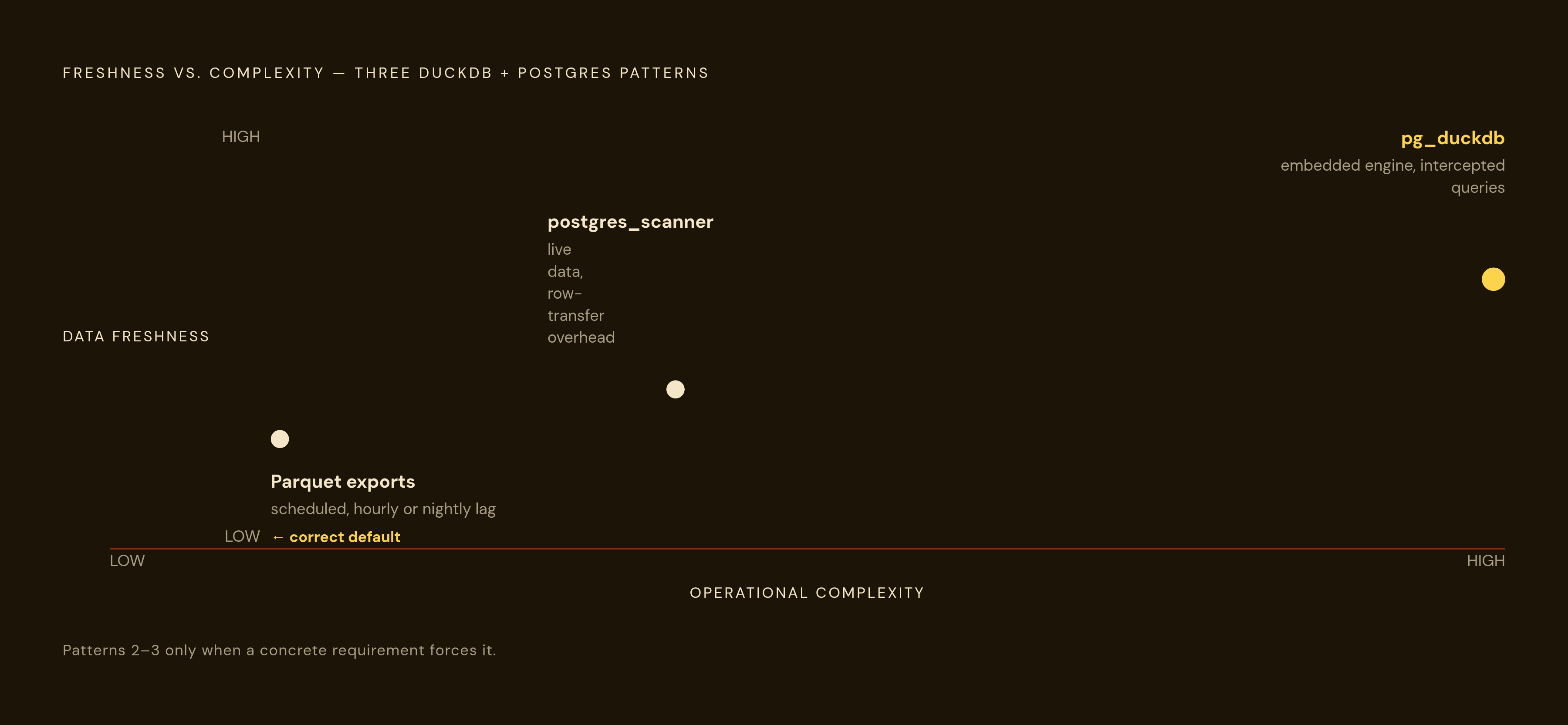
Three practical patterns connect DuckDB's analytical engine to Postgres data, and they sit on a spectrum from simplest to operate to most deeply integrated. Each trades off data freshness and operational complexity differently, which is the main axis teams should use to pick between them.
The first pattern exports Postgres tables to Parquet on a schedule and lets DuckDB query those files directly. Postgres stays untouched as the system of record; a cron job periodically writes the relevant tables out to object storage or local disk; DuckDB reads the resulting files in-process at full analytical speed. The third pattern, pg_duckdb, runs the DuckDB engine inside Postgres itself as an extension, automatically intercepting analytical queries and routing them through columnar execution with no code changes required anywhere in the application.
The next three sections take each pattern in turn.
Pattern 1: Exporting Postgres tables to Parquet and querying with DuckDB
Exporting analytics tables to Parquet on a schedule is the fastest route from no analytics to real analytical speed, and it needs nothing a small team doesn't already have: no new extension, no schema migration, no additional server. The mechanics are simple. A nightly or hourly job exports the relevant Postgres tables to Parquet files, on S3 or local disk, and DuckDB reads those files directly wherever a query needs to run: an API route, a script, a notebook.
The infrastructure cost is close to zero. A founder shipping a product alone can wire together Supabase as the transactional store, a scheduled export job, and DuckDB inside an API route for dashboard queries, and have the whole thing working in an afternoon. Supabase's own guidance on using DuckDB this way recommends a few concrete practices: reuse connections through pooling rather than opening new ones per query, filter on partition columns so partition pruning actually kicks in, select only the columns a query needs instead of pulling full tables, and cap result sizes during exploration so a stray query doesn't churn through an entire dataset unnecessarily.
The tradeoff is freshness. Data in the Parquet files is only as current as the last export, typically somewhere between hourly and nightly. That matters a great deal in some contexts and not at all in others. Board reporting, weekly KPI reviews, cohort analysis, and funnel metrics carry none of that risk, because an hourly or daily refresh is what those use cases expect.
This pattern also happens to produce the right shape of data for AI agents to query safely. Pre-calculated, Parquet-serialized datasets never touch the production write path, and their schema is fixed and reviewed rather than discovered on the fly, which makes them a natural foundation for a semantic layer that agents can read without putting the live database at risk. Dreambase is one example of this pattern built out as a product rather than assembled by hand: it pre-models Postgres data into governed Parquet datasets, serves them through DuckDB, and exposes the result to both dashboards and agents through a single MCP server, so an agent gets fast, accurate context without ever touching the production tables directly.
Pattern 2: Querying Postgres directly with postgres_scanner
The postgres_scanner extension lets DuckDB read from a live Postgres database with no export step at all, which sounds like it should be strictly better than waiting on a scheduled job. In practice, it reintroduces much of the overhead DuckDB exists to avoid. DuckDB connects to Postgres over a standard connection, pulls table data into its own memory, and only then applies columnar execution locally. The transfer itself travels through Postgres's row-oriented wire protocol, so the row-at-a-time cost that DuckDB was built to eliminate reappears at the transfer stage.
That makes postgres_scanner a good fit for a narrow set of jobs: joining a small live Postgres table against a large Parquet dataset inside a single DuckDB query, running an ad-hoc cross-check where getting the latest data matters more than raw throughput, or doing a one-time migration of data out of Postgres and into Parquet. There's also a cost to the production system: pointing sustained analytical read traffic at a live Postgres instance competes with the application's own write traffic, and even read-only queries can degrade OLTP performance when the load is heavy enough.
Pattern 3: pg_duckdb, running the DuckDB engine inside Postgres
pg_duckdb takes the most direct approach of the three: it embeds DuckDB's columnar engine inside Postgres itself, as an extension, so analytical queries get accelerated without any data ever moving anywhere. Setup happens at the server level, adding the extension to shared_preload_libraries and running CREATE EXTENSION, after which a session can turn on columnar execution with a single flag, SET duckdb.force_execution = true. No application code has to change; the queries an application already sends get intercepted and routed through DuckDB's vectorized engine automatically.
One of the more useful capabilities this unlocks is direct file access from inside Postgres. A session running pg_duckdb can read and write Parquet files straight from object storage and join them against live Postgres tables in a single SQL statement, with no ETL step, no data movement, and no separate system sitting alongside Postgres to maintain. The performance difference this produces can be dramatic: a hybrid architecture guide on pg_duckdb reports that a TPC-DS benchmark query at scale factor 10, one that takes over two hours to complete using Postgres's native execution engine, finishes in a fraction of a second running through pg_duckdb instead.
That power comes with a deployment responsibility that's easy to underestimate. Best practice is to run pg_duckdb on a dedicated read replica, isolated from the primary, so analytical load never threatens transactional performance. pg_duckdb removes the need to move data in order to query it fast, but it does nothing to model or govern that data before an agent or a dashboard starts consuming it. Fast access to ungoverned data is still ungoverned data, which is the problem the next section takes up directly.
Analytical speed alone when AI agents are reading your data
Making Postgres data fast to query solves half the problem. Most teams stop short of making sure what gets returned is trustworthy. An AI agent connected to tables that haven't been reviewed or certified doesn't fail by returning an error; it fails by returning a confident, well-formatted, wrong answer. In an agentic workflow, that answer can trigger an action before any human ever sees it.
The risk here isn't hypothetical. Supabase-specific failure modes follow the same pattern: agents that skip row-level security policies on exposed schemas, agents that hallucinate CLI commands that don't exist, agents that create views without setting security_invoker = true, which silently bypasses the row-level security that was supposed to protect the underlying table.
The fix is an architecture that makes misbehavior structurally harder, not a policy document telling agents to behave. Analytical access should default to read-only wherever possible, and agents should be pointed at narrow, pre-modeled views rather than raw production tables, with every query logged and every destructive operation held behind a human approval step. Whether a team is using Parquet exports or pg_duckdb on a replica, the production write path itself should never be the surface an agent queries directly. The semantic layer needs active curation: agents should be locked to reviewed metrics and dimensions, new dashboards or reports should get human review on their first version, and prompt-to-SQL pairs should be logged and sampled to check they match what the underlying data actually says.
The pre-calculated dataset turns out to be the governance mechanism itself, not just a performance optimization. When metrics are modeled ahead of time into Parquet datasets with a schema that's fixed and reviewed, an agent has no raw tables to drift into and no column names left to invent; the surface area for error is bounded by the design of the data layer, not by a rule an agent might or might not follow. Dreambase applies the same structural argument: pre-calculate the metrics, fix the schema, and let both dashboards and agents query that single governed MCP server instead of giving agents broader database access and hoping prompts and policies hold the line.
Choosing the right pattern for your team's situation
Two variables decide which of these three patterns fits a given team: how fresh the data needs to be, and how much operational complexity the team can actually sustain. For most Supabase teams, the right starting point is Parquet exports, and the right move to a more complex pattern only happens when a specific, concrete requirement forces it, not in anticipation of one.
Across all three patterns, the semantic layer, pre-modeled, governed, schema-stable datasets, is what separates analytics that run fast from analytics that can actually be trusted, not an optional add-on once agents are involved in reading the data. For Supabase teams that want this full pattern, Parquet, DuckDB, and a governed MCP layer, without assembling each piece by hand, Dreambase offers it as a packaged data factory: metrics pre-calculated into governed Parquet datasets, served through DuckDB, and exposed to both human dashboards and AI agents through a single MCP server, with no ETL pipeline, no schema changes, and no separate data warehouse to stand up and maintain. None of this is a future architecture waiting on better tooling. Parquet export paired with DuckDB is something a solo founder can wire together in an afternoon, today, with the tools already covered here.